



 (726) 233-6044
Quick Answer: What Is Thermostat Calibration?
Thermostat calibration is the process of aligning your thermostat’s readings with the actual air temperature in your home. A miscalibrated thermostat forces your HVAC system to run longer than necessary. The U.S. Department of Energy estimates this can increase heating and cooling costs by 10–20% annually. Calibration takes under 30 minutes and requires only a reference thermometer.
Most homeowners never calibrate their thermostat. They notice the house feels warmer than the display suggests, bump the setting down a degree or two, and move on. What they don’t realize is that a 3°F thermostat calibration error, well within the tolerance of many older units, means their HVAC system runs continuously to hit a target it will never actually reach.
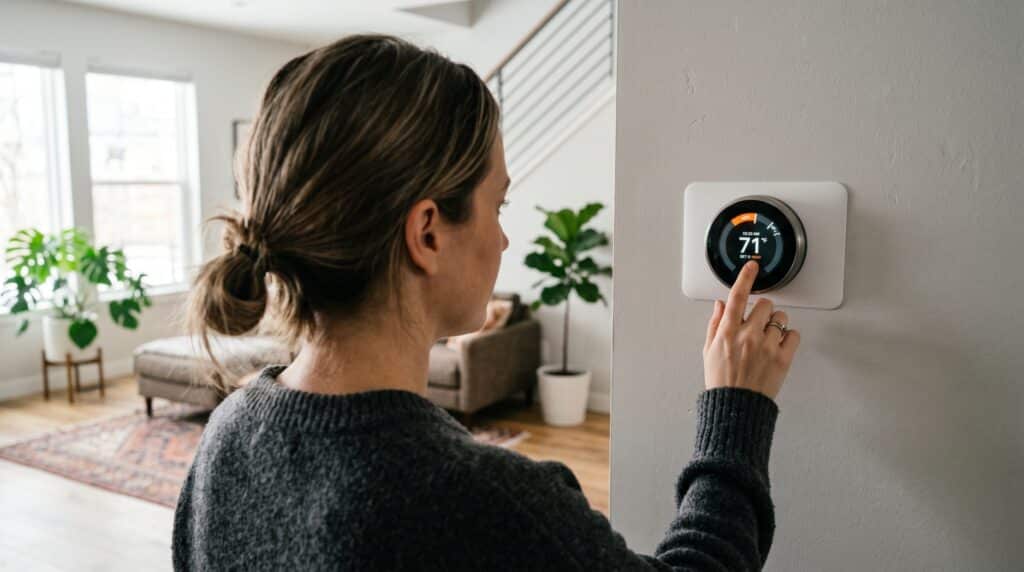
This guide covers how to test your thermostat’s accuracy, step-by-step calibration for digital and mechanical units, optimized schedule programming, and when replacement makes more financial sense than calibration.
$180–$390
Average annual savings from properly programmed thermostat schedules on a typical U.S. household, according to the U.S. Department of Energy (2024).
What Makes a Thermostat Inaccurate — And Why It Matters
A thermostat becomes inaccurate when its internal temperature sensor drifts from the room’s actual ambient temperature. Common causes include dust accumulation on the sensor, poor placement (near vents, windows, or exterior walls), age-related sensor degradation, and, for mechanical units, a dirty or warped bimetallic strip. Even a 2°F error translates directly to wasted energy and equipment wear.
The core problem isn’t just comfort — it’s the compounding effect on your HVAC system. When a thermostat reads 70°F but the actual room temperature is 73°F, the system never responds to the cooling call. It runs in extended cycles, which accelerates compressor wear and increases energy draw.
The 5 Most Common Causes of Thermostat Inaccuracy

- Dust and debris on the sensor — Accumulated dust acts as insulation around the temperature sensing element, causing artificially high readings.
- Poor location — Thermostats installed within 3 feet of supply vents, exterior doors, or south-facing windows measure conditions unrepresentative of the occupied space.
- Sensor drift over time — Thermistor-based sensors in digital thermostats gradually lose accuracy. According to TE Connectivity’s NTC Sensor Performance application note, NTC thermistors drift at approximately 0.1–0.2°C (0.18–0.36°F) per year under normal operating conditions, meaning a 10-year-old thermostat sensor may read up to 2–4°F off from factory calibration. (Source: TE Connectivity, NTC Sensor Performance App Note, 2018)
- Loose wiring connections — Loose or corroded terminal connections introduce resistance that distorts voltage signals from the sensor.
- Bimetallic strip warping (mechanical units) — Older mercury or bimetallic thermostats rely on a metal strip that physically bends with temperature. A strip that has been knocked, bent, or contaminated loses its factory calibration permanently.

How to Test Your Thermostat’s Accuracy — Before You Calibrate
Test your thermostat’s accuracy by placing a high-quality digital thermometer directly beside the thermostat, waiting 15 minutes, and comparing the two readings. A variance of more than 1.5°F indicates a thermostat calibration problem worth fixing. A variance of more than 3°F means your system is actively wasting energy and increasing equipment wear.
What You Need
- A calibrated digital thermometer (accuracy ±0.5°F or better — look for NIST-traceable units under $25)
- A small piece of tape or a rubber band to secure the thermometer beside the thermostat
- 15–20 minutes of undisturbed wait time
Step-by-Step Accuracy Test
- Turn off all HVAC activity — Let the system rest for at least 15 minutes. Active airflow creates localized temperature variation that distorts the test.
- Position the reference thermometer — Tape or rubber-band it within 2 inches of the thermostat’s face. Height and proximity matter; the closer the better.
- Wait 15–20 minutes — Do not open exterior doors or windows during this window.
- Record both readings simultaneously — Note the thermostat display and the reference thermometer at the same moment.
- Calculate the variance — Subtract one reading from the other. A variance of ≤1°F is acceptable. 1.5–3°F warrants calibration. Over 3°F warrants calibration or replacement evaluation.
- Repeat the test at a different time of day — Temperature variance can shift by time of day. A single reading isn’t sufficient to confirm a chronic thermostat calibration error.
Pro Tip: Run this test both in peak summer heat and mid-winter. A thermostat that reads accurately at 68°F may drift significantly at 78°F due to non-linear sensor behavior in older units.
How to Calibrate a Digital (Programmable or Smart) Thermostat

Most modern digital thermostats include an internal calibration offset setting, typically accessible through the installer or advanced settings menu, that allows you to add or subtract degrees from the displayed temperature. Adjusting this offset by the measured variance corrects the thermostat’s displayed reading to match actual room temperature without replacing any hardware.
Step-by-Step: Digital Thermostat Calibration
- Identify your thermostat model — The model number is typically printed on a label inside the cover panel. Look up the manufacturer’s installation manual (most are available on the manufacturer’s website as a PDF).
- Access the thermostat calibration offset menu — On most Honeywell/Resideo and Ecobee units, hold the Menu button for 5 seconds to enter installer settings. On Nest units, go to Settings → Equipment → calibrate. Refer to your specific model’s manual for exact navigation.
- Enter the offset value — If your thermostat reads 2°F low (displays 68°F when actual temp is 70°F), enter a +2°F offset. If it reads high, enter a negative offset.
- Save and exit — Most units require a button hold or confirmation step to save the offset. An unsaved offset will revert after the next power cycle.
- Re-test after 20 minutes — Repeat the accuracy test from the previous section to confirm the adjustment corrected the variance.
Important: If your digital thermostat does not offer a calibration offset in its settings menu, the only correction is a hardware replacement. Attempting to physically modify a digital sensor voids the warranty and rarely produces accurate results.
$20–$25
Cost of a NIST-traceable digital reference thermometer sufficient for home thermostat calibration — the only tool required for the entire process.
How to Calibrate a Mechanical (Bimetallic) Thermostat

Mechanical thermostats calibrate via a small calibration screw on the bimetallic coil or a physical anticipator wheel, both accessible after removing the thermostat cover. The process is more tactile than digital calibration but takes the same 15–20 minutes. If the bimetallic strip is physically warped or corroded, no amount of adjustment will restore accurate calibration, replacement is the correct path.
Step-by-Step: Mechanical Thermostat Calibration
- Turn off power at the breaker — Mechanical thermostats may control 24V low-voltage wiring, but cutting power prevents accidental system activation during the process.
- Remove the thermostat cover — Most snap off; some require a small flathead screw. Set it aside carefully.
- Locate the thermostat calibration screw — It is typically a small brass or steel screw positioned at the center of the bimetallic coil. Some units label it “CAL.”
- Clean the bimetallic strip first — Use a soft brush or compressed air to remove any dust or debris before adjusting. Dust is the most common cause of mechanical thermostat inaccuracy and cleaning alone may resolve a minor variance.
- Adjust the thermostat calibration screw — Turn clockwise to raise the thermostat’s temperature reading; counterclockwise to lower it. Make adjustments in small increments (1/8 turn) and re-test after each adjustment.
- Check the heat anticipator — The anticipator wheel controls how early the system shuts off before reaching the setpoint. Adjust it to match the current draw stamped on the furnace control board (typically 0.2–0.6A). Misaligned anticipators cause short-cycling even after a correct thermostat calibration.
- Replace cover and restore power — Re-test accuracy after 20 minutes.
When to Stop and Replace: If the bimetallic strip shows visible corrosion, physical deformation, or the calibration screw is already at its maximum range, calibration will not hold. Mechanical thermostats cost $15–$40 to replace; programmable digital replacements start at $25–$50 and deliver substantially more energy management capability.
Thermostat Placement: The Hidden Variable That Defeats Calibration
A perfectly calibrated thermostat installed in the wrong location produces inaccurate results regardless of how precisely it’s adjusted. The U.S. Department of Energy specifies that thermostats should be installed on interior walls, away from direct sunlight, drafts, doorways, skylights, and windows, and at least 5 feet from any supply or return air vent. Bad placement introduces a systematic temperature error that no calibration offset can fully correct.
Correct Thermostat Placement Criteria
- Interior wall (not exterior-facing)
- 5+ feet from any supply or return air register
- Away from direct sunlight at any time of day (including indirect light through windows)
- Not above or beside heat-producing appliances (lamps, televisions, computers)
- Not adjacent to exterior doors or windows subject to drafts
- 5 feet above floor level — measuring occupant-zone air temperature, not floor-level cold air
- Central to the most-used living areas, not in a hallway or rarely-used room
If your thermostat is mounted in a location that violates more than one of these criteria, recalibration provides only partial improvement. The better intervention is relocation — typically a $75–$200 job for an HVAC technician, depending on wiring access and wall conditions.
Up to 4°F
Temperature error that can be introduced by direct sunlight or window proximity on a thermostat sensor, enough to cause the system to misread conditions and run additional unnecessary cycles. A peer-reviewed study in Building and Environment (PMC8198709) on thermostat retrofit and temperature sensing confirms that placement relative to windows and heat sources is a primary driver of thermostat measurement uncertainty. (Source: NIH/PMC — Temperature Sensing Optimization for Home Thermostat Retrofit, 2021)
Optimal Thermostat Settings by Season — Data-Backed Schedules
The U.S. Department of Energy recommends 68°F while awake in winter and 78°F while awake in summer as the baseline for energy-efficient comfort. Each degree of deviation from these baselines increases energy consumption by approximately 1% per degree per 8-hour period. A programmed schedule, not a static setpoint, is where the meaningful savings accumulate.
DOE-Recommended Temperature Schedules
| Period | Winter Setpoint | Summer Setpoint | Duration |
|---|---|---|---|
| Wake (morning) | 68°F | 78°F | ~2 hrs |
| Away (work/school) | 60°F (setback) | 85°F (setforward) | ~8 hrs |
| Return (afternoon/evening) | 68°F | 78°F | ~5 hrs |
| Sleep | 65°F | 82°F | ~8 hrs |
Source: U.S. Department of Energy, Energy Saver — Thermostats (2024)
Why the Sleep Setpoint Matters More Than Most People Realize
Sleep thermostat settings are the most overlooked efficiency lever in residential HVAC. Research published by the NIH confirms the connection: The Temperature Dependence of Sleep (PMC6491889, 2019) establishes that sleep onset coincides with the body’s natural core temperature drop, and that moderately cool ambient temperatures — approximately 60–67°F (15–19°C) for most adults — support slow-wave and REM sleep by facilitating heat dissipation. A second NIH-published review, Sleep and Thermoregulation (PMC7323637, 2020), further confirms that warmer ambient temperatures increase nighttime arousals and reduce total sleep time. The 65°F winter sleep setpoint isn’t just energy-efficient — it’s the range most supported by peer-reviewed sleep science. (Sources: PMC6491889; PMC7323637)
In summer, sleeping at 78–82°F is achievable with ceiling fan assist. Ceiling fans create a wind-chill effect that makes 78°F feel like 72°F — allowing a 6-degree setpoint increase with no perceived comfort loss. The Energy Star program estimates ceiling fan use allows a 4°F thermostat increase, saving approximately 15% on cooling costs. (Source: Energy Star, 2023)
~1% per degree
Heating or cooling cost increases for every degree the thermostat is set above (cooling) or below (heating) the DOE-recommended baseline setpoints, per 8-hour period. (Source: U.S. Department of Energy, 2024)
Smart Thermostat Optimization — Getting More Than the Default Settings Give You
Smart thermostats — Nest, Ecobee, Honeywell Home T9/T10 — save an average of 10–12% on heating and 15% on cooling costs compared to conventional programmable thermostats, according to studies by each manufacturer. But that performance is contingent on correct installation, room sensor placement, and active schedule configuration. Factory defaults are not optimized for your home or climate.
Smart Thermostat Settings to Adjust Immediately After Installation
- Enable “Home/Away Assist” — Uses geofencing (phone location) rather than a fixed schedule to set back temperature when the house is empty. Eliminates the efficiency loss from running scheduled heating/cooling during unplanned absences.
- Configure room sensors strategically — Place sensors in the rooms where occupants spend the most time, not in hallways or unused bedrooms. Most smart thermostats average readings across active sensors — one sensor in a sun-drenched spare bedroom will skew the entire system.
- Set a “Time to Temperature” pre-conditioning period — Smart thermostats can calculate how early the system needs to start to reach the setpoint by your scheduled time. Activate this to eliminate morning comfort lag without running the system overnight.
- Enable HVAC runtime reporting — Review weekly runtime reports. A well-calibrated system in a well-insulated home should cycle 2–3 times per hour in moderate weather. More frequent cycling indicates a thermostat calibration or equipment problem.
- Configure “Fan Circulate” mode — Running the system fan 15–20 minutes per hour (without heating or cooling) equalizes temperature across floors and rooms, reducing the load on the thermostat’s single-point sensor.
Up to 26%
Average annual savings on heating and cooling costs reported by Ecobee customers, based on Ecobee’s internal analysis of North American households (April 2021) — translating to an average of $234/year per home. The Ecobee “Donate Your Data” program, with over 200,000 opt-in households, is the largest residential HVAC efficiency dataset in North America. (Source: Ecobee Savings Page; Ecobee Donate Your Data Launch)
Thermostat Calibration vs. Replacement — When to Stop Adjusting and Replace
Calibration makes sense when a thermostat is less than 10 years old, reads within 5°F of actual temperature, and supports a calibration offset in its settings. Replacement makes more sense when the unit is mechanical, over 10 years old, reads more than 5°F off, or when the home lacks a programmable or smart schedule capability, which represents the largest source of recoverable energy savings.
| Scenario | Calibrate | Replace |
|---|---|---|
| Variance <3°F, digital unit, under 10 years old | Yes | Not necessary |
| Variance 3–5°F, digital, offset available in settings | Try first | If offset doesn’t hold |
| Mechanical (bimetallic) thermostat, any age | Try cleaning first | Strongly recommended |
| Digital, no programmable schedule capability | Not sufficient alone | Yes — recover schedule savings |
| Variance >5°F, any type | Unlikely to fully correct | Yes |
| Unit over 15 years old | Not worth effort | Yes |
Programmable thermostat replacements start at $25–$50. Smart thermostats range from $99–$249. At the DOE’s estimated savings of $180–$390/year from schedule optimization, a $150 smart thermostat pays for itself in under a year in most climates.
How Thermostat Calibration Interacts With Your Broader HVAC System
A correctly calibrated thermostat cannot compensate for underlying HVAC inefficiencies — a dirty air filter, undersized equipment, or duct leakage. But a miscalibrated thermostat actively compounds those problems. The thermostat is the control signal for the entire system; inaccurate input produces inaccurate output regardless of how well the mechanical components perform.
Think of your HVAC system as a hierarchy: the thermostat sets the target, the equipment responds, and the building envelope (insulation, windows, roofing) determines how hard the equipment has to work to maintain it.
Efficiency improvements at every layer of this stack compound. A well-calibrated thermostat running an optimized schedule, paired with a properly maintained HVAC system and an energy-efficient building envelope, produces dramatically better outcomes than any single improvement in isolation.
For San Antonio homeowners, the building envelope piece is particularly significant. Roofing material has a direct impact on attic temperatures, and attic temperature is one of the largest variables determining how hard your cooling system works. High-performance roofing materials can reduce attic temperatures by 20–30°F versus conventional asphalt shingles, which translates directly to reduced HVAC runtime and a lighter load on your thermostat’s setpoint. Companies like Honeycomb Heating & Cooling specialists understand that home comfort is a system problem, and solving it requires looking beyond any single component.
25–40%
Estimated proportion of conditioned air lost through duct leakage in typical U.S. homes, according to the U.S. Department of Energy. A correctly calibrated thermostat paired with leaky ducts still produces an underperforming system. (Source: DOE, Energy Saver, 2024)

Frequently Asked Questions
What is thermostat calibration and why does it matter?
Thermostat calibration is the process of adjusting a thermostat’s displayed temperature to match the actual air temperature in the room where it’s installed. It matters because even a 2–3°F calibration error causes HVAC systems to run in extended cycles — consuming excess energy, increasing wear on mechanical components, and reducing indoor comfort. The U.S. Department of Energy estimates heating and cooling account for approximately 43% of the average home’s energy bill; calibration errors directly inflate that figure.
How do I know if my thermostat needs calibration?
The clearest sign is a persistent gap between how the house feels and what the thermostat displays. Objectively test it by placing a calibrated reference thermometer next to the thermostat for 15–20 minutes with the HVAC system off. A variance of more than 1.5°F indicates a calibration problem. Additional signs include unusually long HVAC cycles, inconsistent comfort across the day, and rooms that never reach the setpoint temperature.
What temperature should I set my thermostat to in summer?
The U.S. Department of Energy recommends 78°F when home and awake, 85°F when away, and 82°F during sleep as an energy-efficient summer schedule. Ceiling fan use allows a 4°F increase in setpoint with no perceived comfort loss, per Energy Star. Each degree above 78°F reduces cooling costs by approximately 1% per 8-hour period, so the away setforward from 78°F to 85°F saves roughly 7% per away period.
How often should a thermostat be calibrated?
For digital thermostats, calibration accuracy should be checked annually, ideally at the start of heating season in fall and at the start of cooling season in spring. Mechanical thermostats should be cleaned and checked annually. After any HVAC system repair, equipment replacement, or significant ductwork change, recalibrate the thermostat regardless of when it was last checked, since system airflow changes affect sensed temperature.
Can a thermostat be off by more than 5 degrees?
Yes. Thermostats with failed sensors, severe placement problems (direct sun exposure, proximity to heat sources), or mechanical units with corroded bimetallic strips can read 5–10°F off from actual room temperature. At 5°F of error, an HVAC system is essentially running blind, the thermostat’s control signal no longer reflects the occupied space. A unit this far out of calibration warrants immediate replacement rather than calibration adjustment.
Does a smart thermostat need to be calibrated?
Yes. Smart thermostats ship from the factory with no site-specific calibration — they read whatever their internal sensor measures, which is influenced by where on the wall they’re mounted, nearby heat sources, and local airflow patterns. Most smart thermostats (Nest, Ecobee, Honeywell Home) include a calibration offset in their advanced settings. Check the accuracy against a reference thermometer within the first week of installation and adjust accordingly.
What is the best thermostat setting for energy savings?
The highest-impact setting change is implementing a setback/setforward schedule — not a single static temperature. The DOE estimates $180–$390/year in savings from proper schedule programming. The key setpoints: 68°F (winter, awake), 60°F (winter, away/sleep), 78°F (summer, awake), 85°F (summer, away), 82°F (summer, sleep). A programmable or smart thermostat is required to automate this schedule; a static thermostat left at a single temperature cannot deliver these savings.
How much does thermostat calibration cost?
DIY calibration costs only the price of a reference thermometer — typically $20–$25 for a NIST-traceable digital unit. Professional HVAC calibration as part of a maintenance visit typically costs $75–$150 depending on the market and the technician. If calibration requires thermostat relocation due to a placement problem, add $75–$200 for wiring and mounting. If calibration reveals the need for a replacement, programmable digital units start at $25–$50; smart thermostats range from $99–$249.
Will calibrating my thermostat lower my energy bill?
Yes — if the thermostat was previously reading inaccurate temperatures. The DOE estimates every degree of unnecessary heating or cooling increases energy consumption by approximately 1% per 8-hour period. A 3°F calibration error that caused the system to overheat or overcool by 3 degrees across 8-hour periods represents a chronic 3% efficiency loss that calibration eliminates. Combined with schedule optimization, the total annual savings can reach $180–$390 for a typical U.S. household.
Need help with your home’s comfort system?
Honeycomb Heating & Cooling performs professional HVAC system tune-ups and diagnostic testing, including precise thermostat calibrations, sensor corrections, and complete system optimization.
Upfront Flat-Rate Pricing · Zero-Pressure Options · Background-Checked Pros · 5.0 Stars on Google (600+ Reviews)
📞 Call or Text (210) 750-6725
Brandon Caputo
Owner · Honeycomb Heating & Cooling
Brandon Caputo founded Honeycomb Heating & Cooling to bring system-driven reliability and customer-first transparency to the San Antonio HVAC market. Grounded in the principle of proactive, preventative care rather than reactive crisis management, Honeycomb specializes in high-efficiency AC and heating installations, advanced diagnostic repairs, and localized indoor air quality solutions. Brandon infuses empathy into every service call, ensuring his team actively listens to homeowners to deliver clear, value-based comfort solutions.
About Honeycomb Heating & Cooling
San Antonio’s trusted specialist in residential air conditioning installation, swift repairs, and energy-saving preventative maintenance. Founded with a commitment to upfront flat-rate pricing and reliable home comfort.
600+ Completed Projects · 5.00-star Google Rating · Open 24/7 for Emergency Support · Founded by Brandon Caputo.
- Upfront Flat-Rate Pricing—No Hidden Fees
- Zero-Pressure Repair & System Options
- Background-Checked & Certified Technicians
- Amana Authorized Elite Partner
- Goodman High-Efficiency System Specialists
- Comprehensive “Comfy Club” Maintenance Programs
- 600+ 5-Star Reviews Across San Antonio
- Fully Licensed & Insured · Texas
- Free estimates & online booking
- Zero Interest with No Monthly Payment financing available
- Office Address: 26995 US Highway 281 Suite C, San Antonio, TX 78260
Sources & Citations
- Ecobee. (2021). Energy savings analysis: Donate your data program. Ecobee. https://www.ecobee.com
- NIH/PMC. (2019). The temperature dependence of sleep (PMC6491889). National Institutes of Health. https://www.ncbi.nlm.nih.gov/pmc/articles/PMC6491889/
- NIH/PMC. (2020). Sleep and thermoregulation (PMC7323637). National Institutes of Health. https://www.ncbi.nlm.nih.gov/pmc/articles/PMC7323637/
- NIH/PMC. (2021). Temperature sensing optimization for home thermostat retrofit (PMC8198709). National Institutes of Health. https://www.ncbi.nlm.nih.gov/pmc/articles/PMC8198709/
- TE Connectivity. (2018). NTC sensor performance application note. TE Connectivity. https://www.te.com
- U.S. Department of Energy. (2024a). Energy saver: Ducts. U.S. Department of Energy. https://www.energy.gov
- U.S. Department of Energy. (2024b). Energy saver: Thermostats. U.S. Department of Energy. https://www.energy.gov
- U.S. Energy Information Administration. (2023). Residential energy consumption survey (RECS). U.S. Energy Information Administration. https://www.eia.gov


